Now on Mac too
A dedicated Mac app with markup, signing, stamps and deadlines, without ads. Premium works on all devices with the same Apple ID.
Document scanner for iPhone, iPad and Mac · Version 4.4
Scan it, AI names it, find it in seconds. Right on your device, no cloud.

Free download, Premium is optional.
iPhone and iPad with iOS 17 or later, Mac with macOS 14 or later.
New · Update 4.4
Version 4.4 brings SMART-PDF to the Mac and connects your devices: iPhone, iPad and Mac sync their documents directly with each other, no cloud involved.
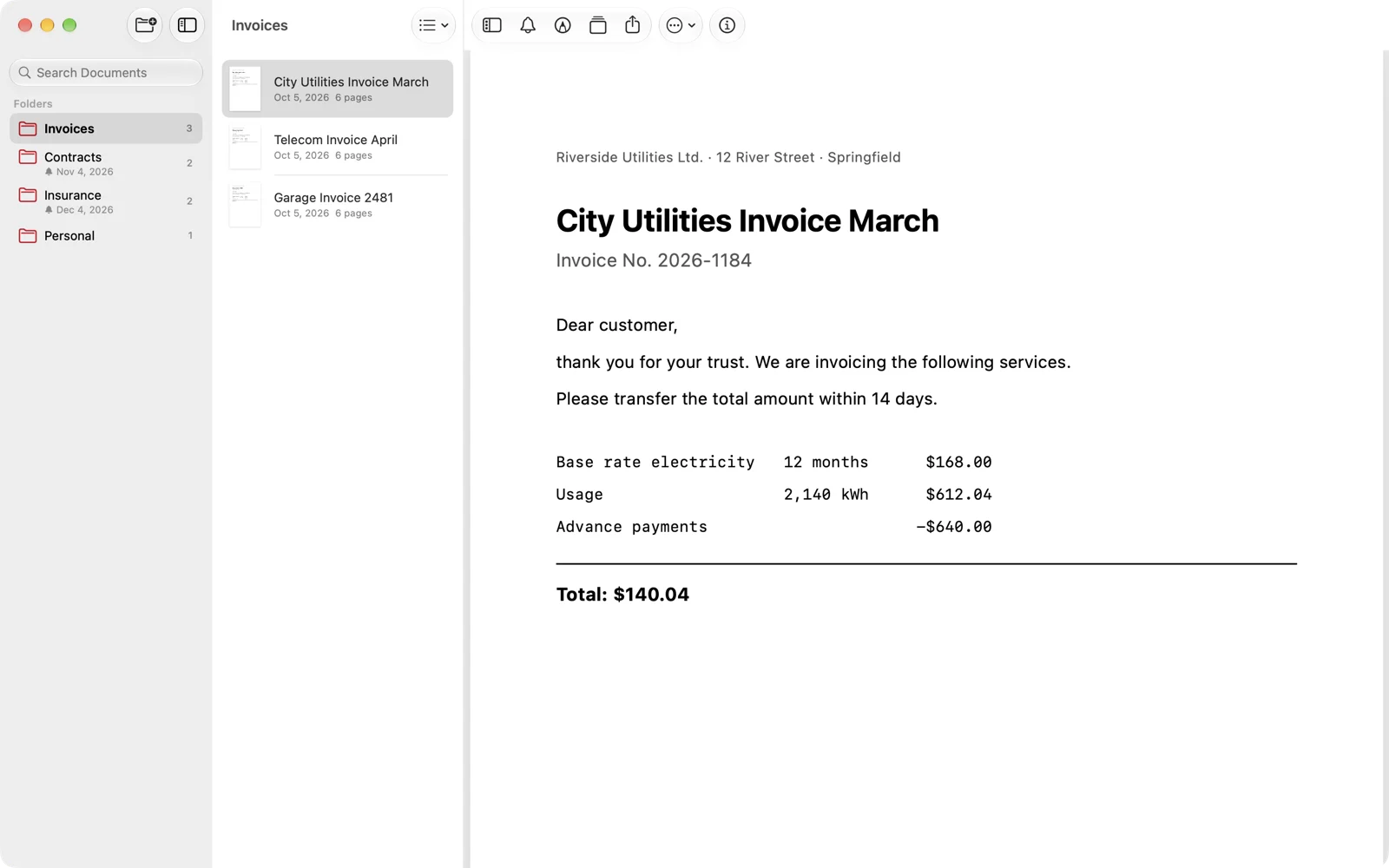
A dedicated Mac app with markup, signing, stamps and deadlines, without ads. Premium works on all devices with the same Apple ID.
Pair iPhone, iPad and Mac once. After that they sync their documents directly over the air, without internet or cloud. You’ll find it in the menu.
The AI summary is now clearly structured and in the document’s language. The first one is free.
Protected folders can only be deleted with Face ID, Touch ID or the password, and their deadlines stay hidden in the overview.
Apple Intelligence reads sender and subject and suggests fitting names. Everything stays on your device (iOS 27 or later).
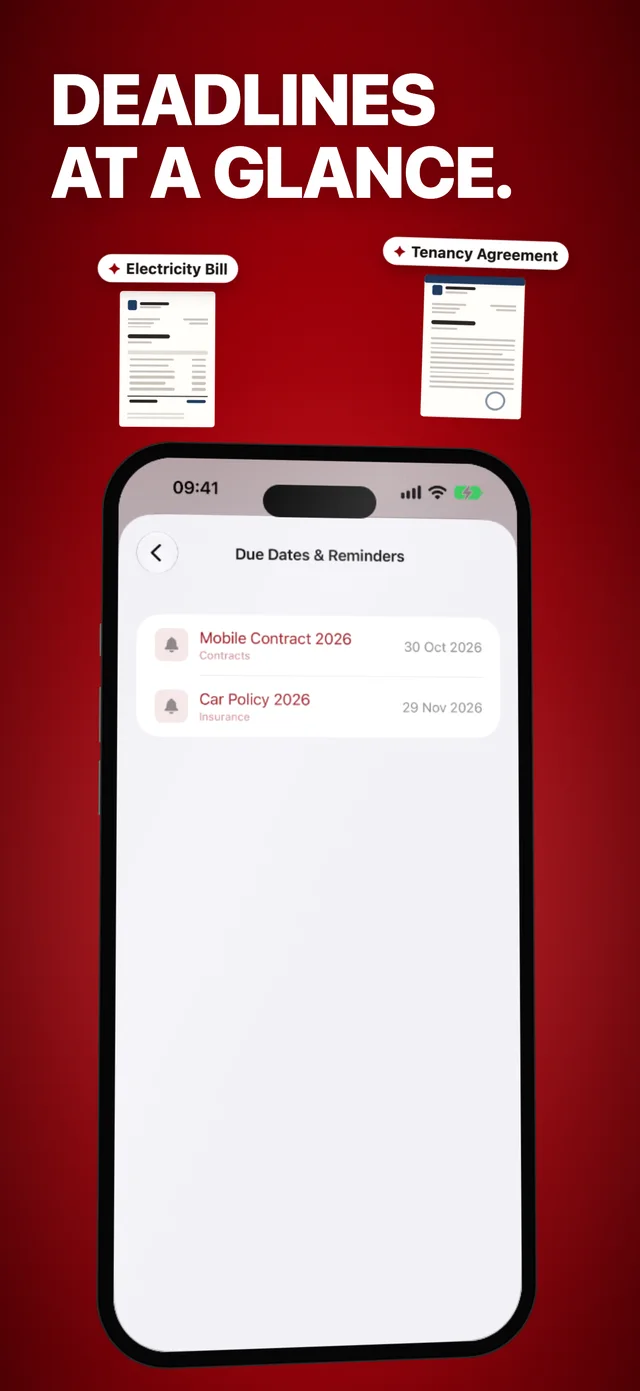
If a document mentions a due date or deadline, SMART-PDF suggests it as soon as you create a reminder.
Included since version 4: iPadCopy pagesFull-text search & SpotlightLive TextQuick Scan via Siri and widgetDates & remindersCompress PDFs
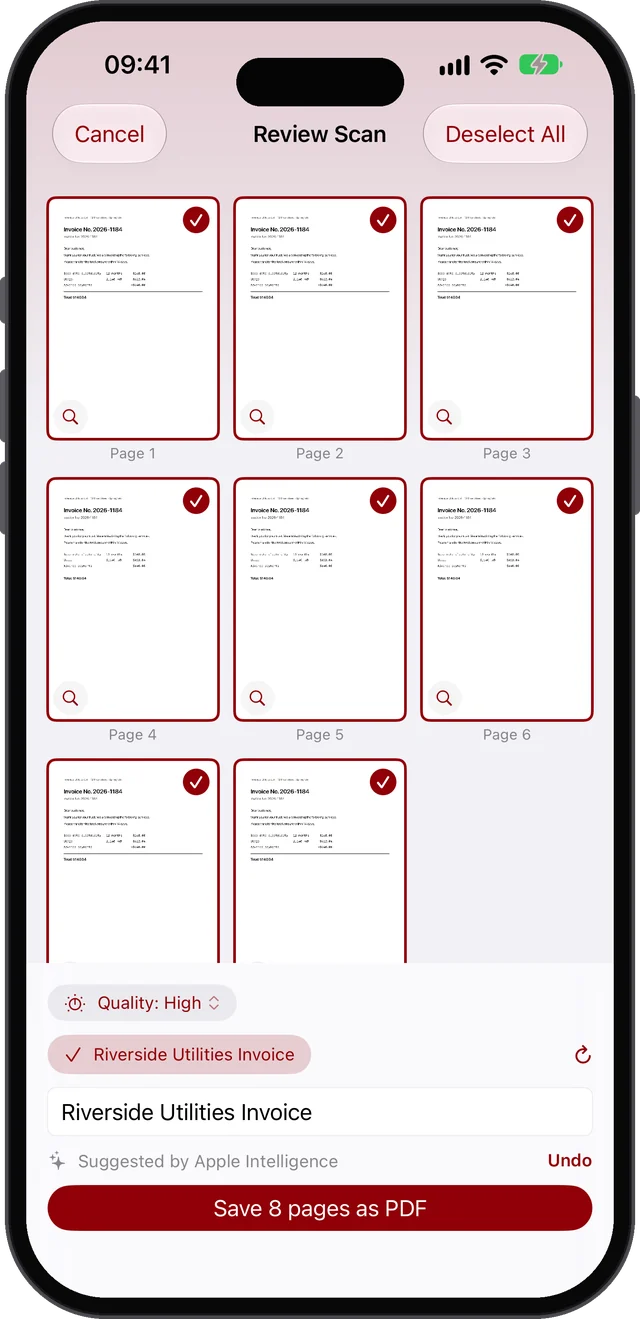
Spotlight · § 1
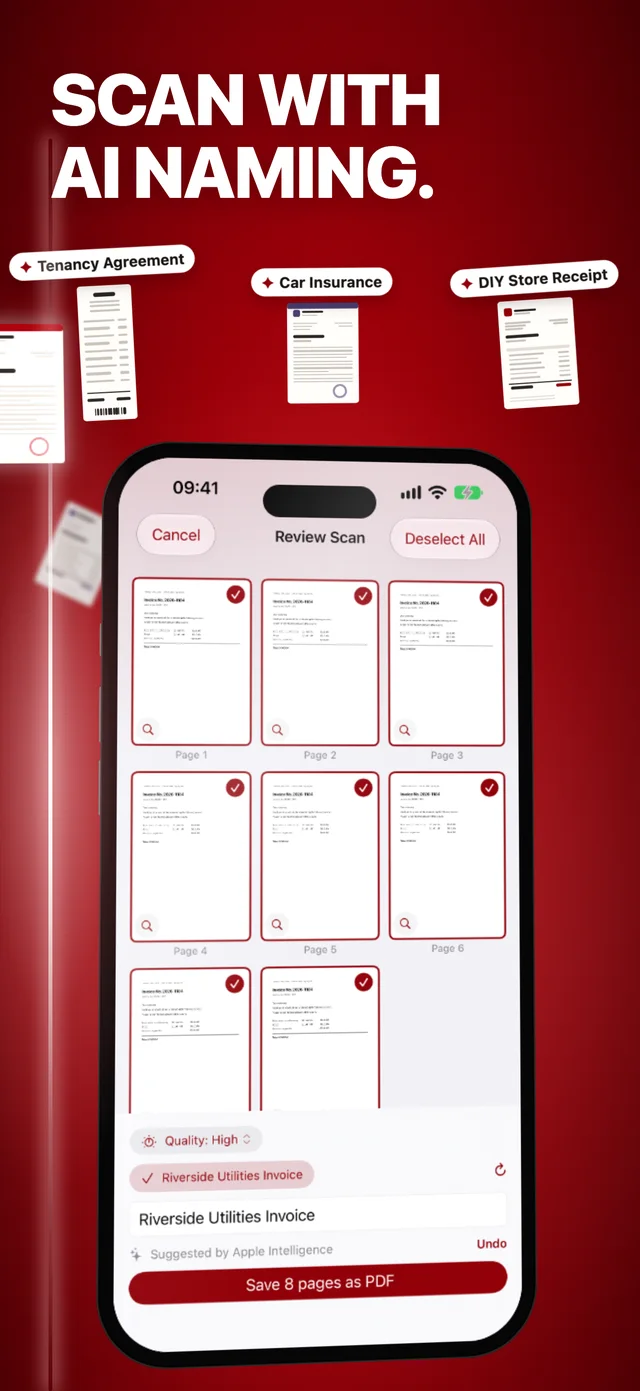
Right after the scan, SMART-PDF reads the document and suggests a name that actually means something: sender, subject, date. From iOS 27, Apple Intelligence does this right on your device and offers more suggestions if you want them. One tap, and the scan is filed under a name you will recognise.
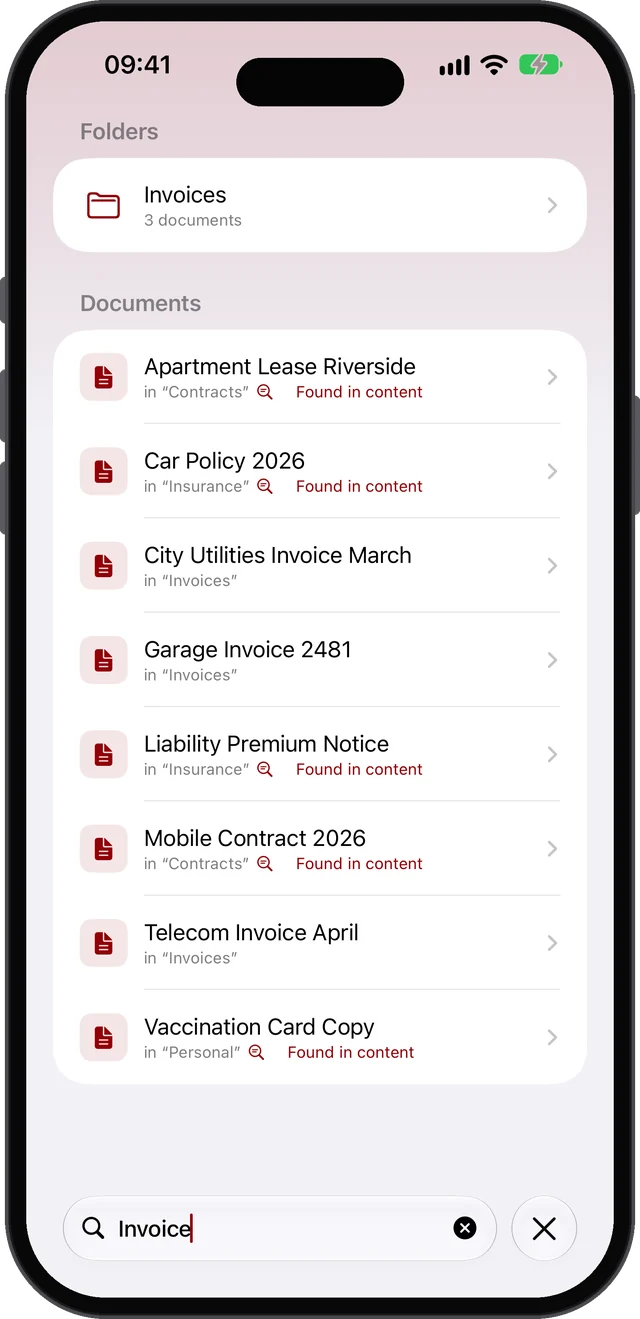
Spotlight · § 2
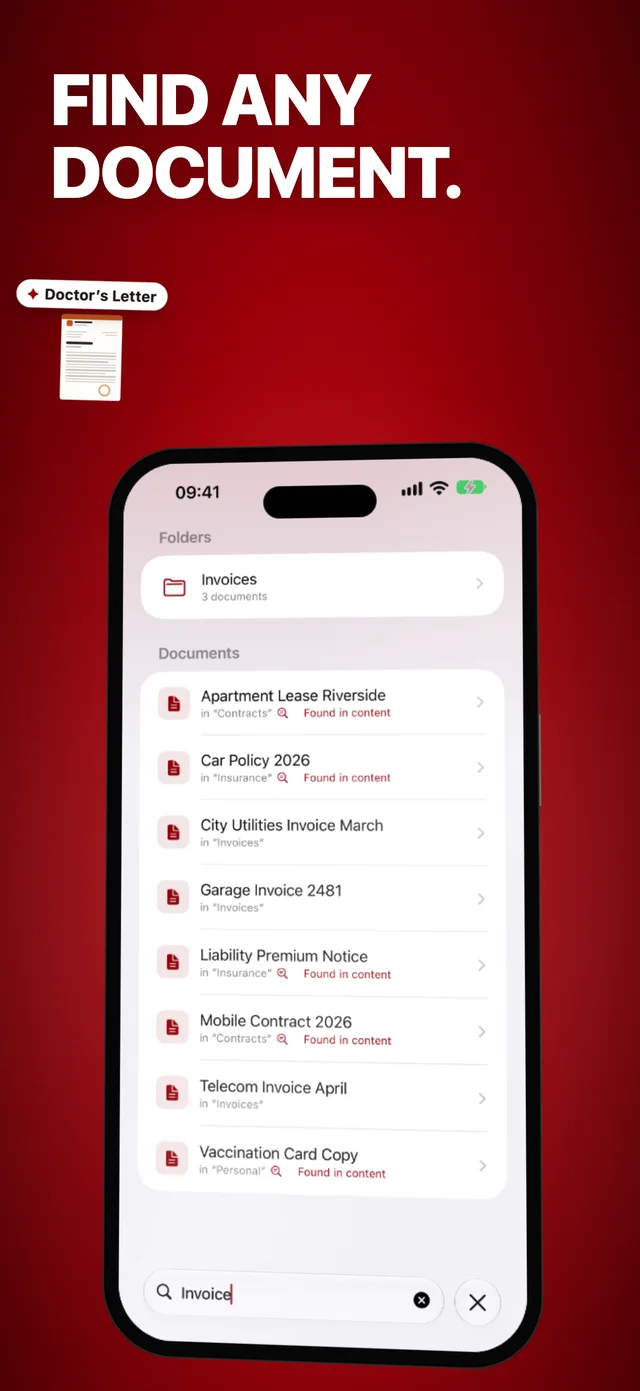
Full-text search knows the content of every PDF, not just the title. Type any word from the document, and there it is. Even straight from iOS search, without opening the app.
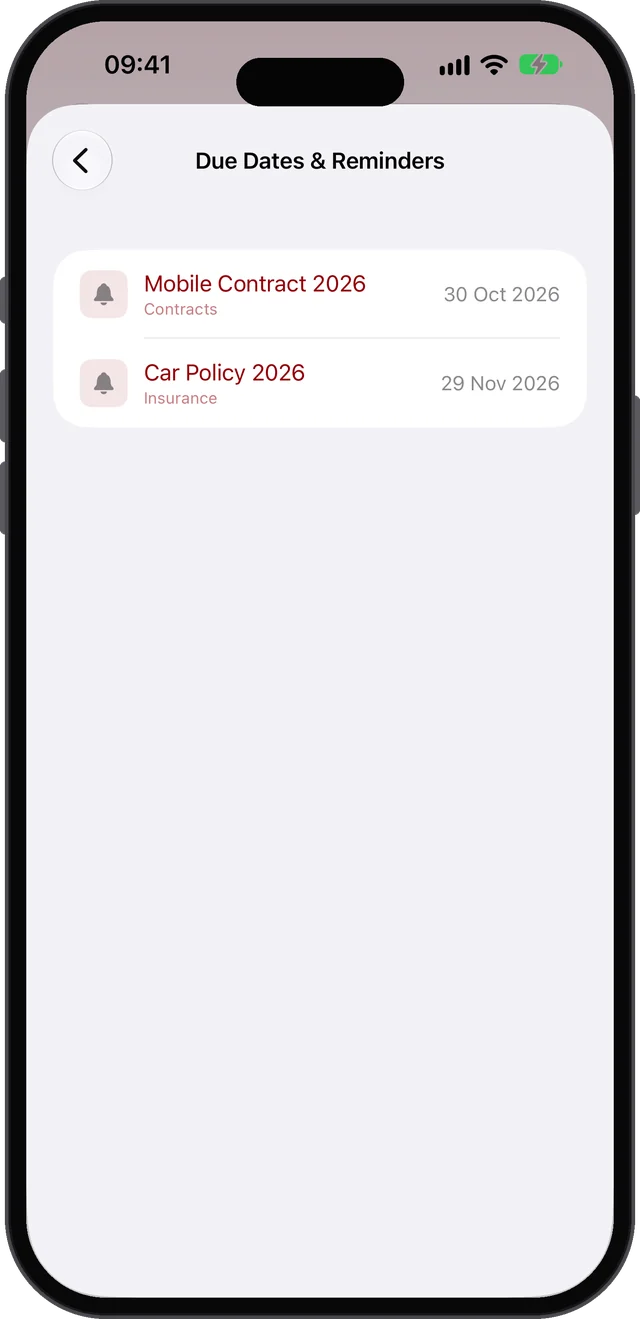 ⏰ Cancellation deadline Sep 30
Spotlight · § 3
The cancellation deadline in a contract, the due date on an invoice: SMART-PDF finds the date in the document and suggests it right away. One tap, and the reminder is set. It can go into your calendar too.
 Move page 3 up
Spotlight · § 4
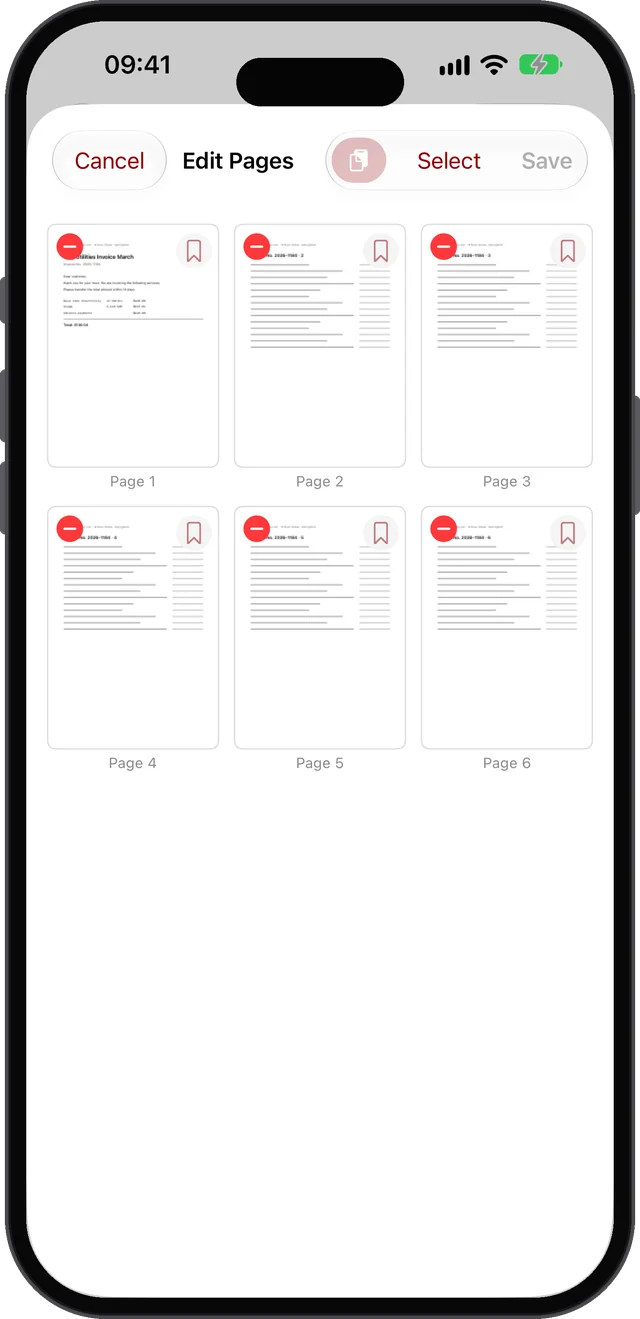
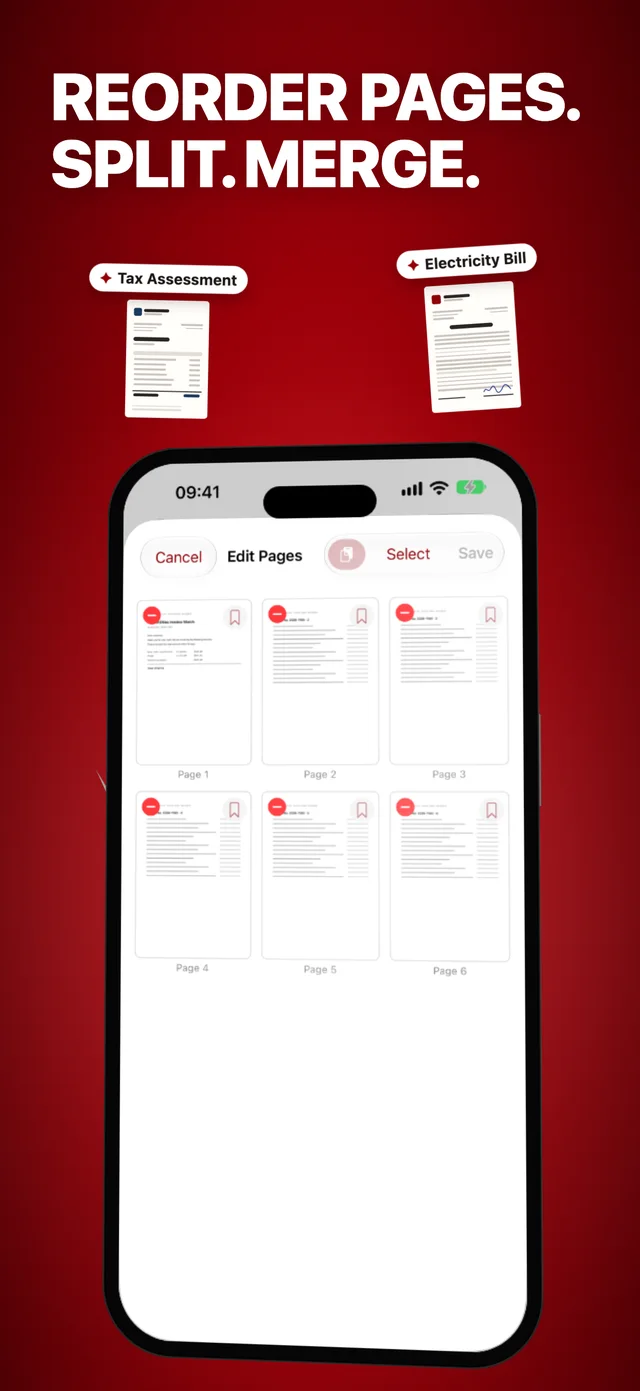
The page editor lays out every page as a thumbnail: drag them into a new order, delete the ones you don't need, add bookmarks. Only need pages 2 and 5? Select them and save them as a PDF of their own. Copy pages with one tap and paste them into another document. And several documents merge into one with two taps.
Everything included · Overview
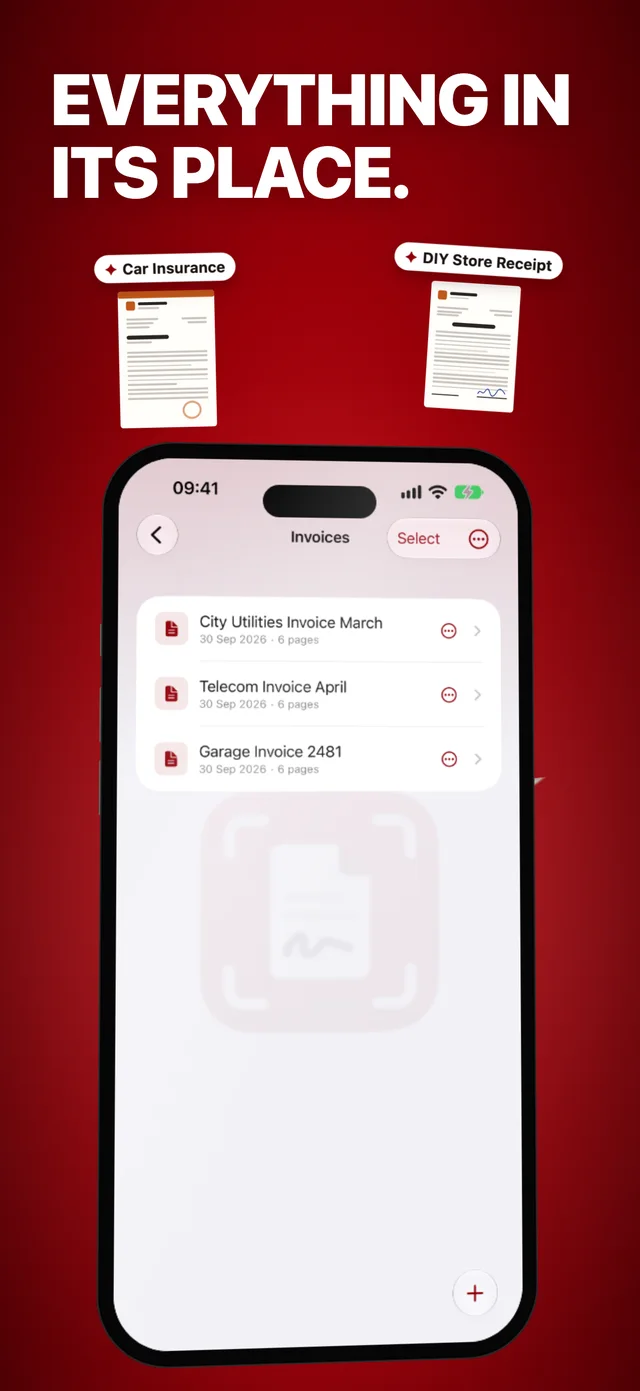
Camera scan with automatic edge detection, import from Photos, iCloud Drive, Dropbox and co. Multi-page, straightened, done as PDF.
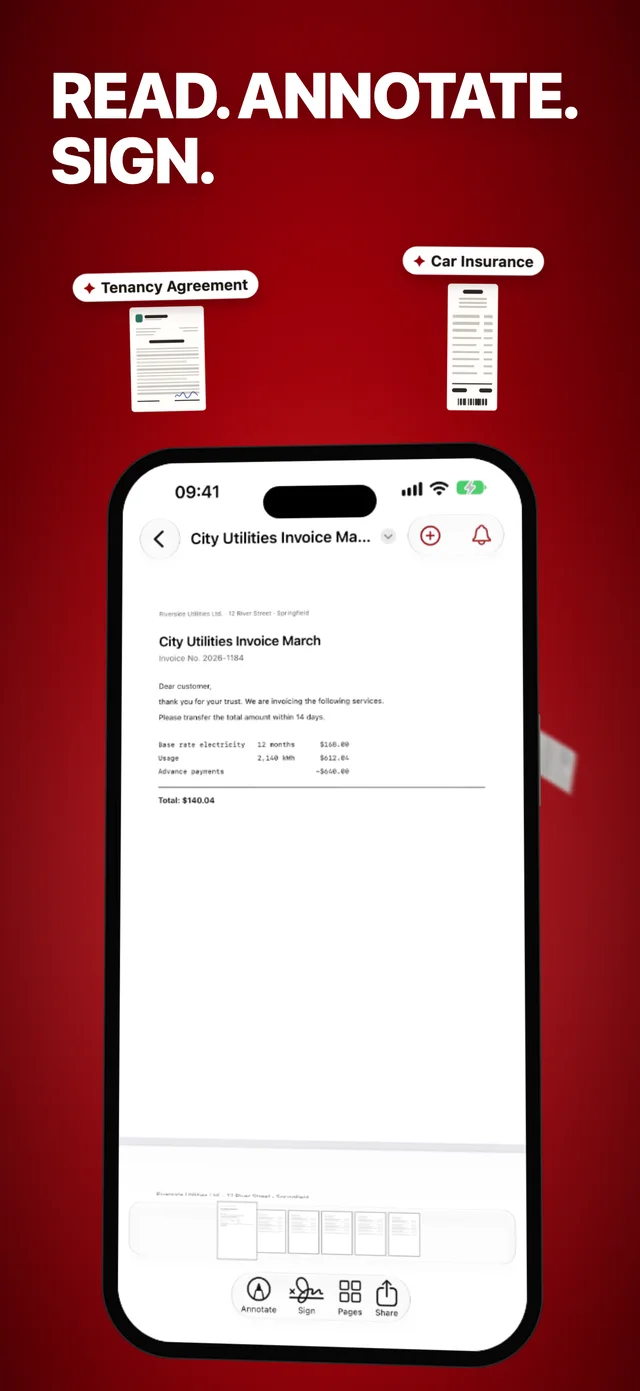
Sign right on the display, plus comments, highlights and symbols. In the page editor you reorder pages, delete them or pull single ones out into a PDF of their own.
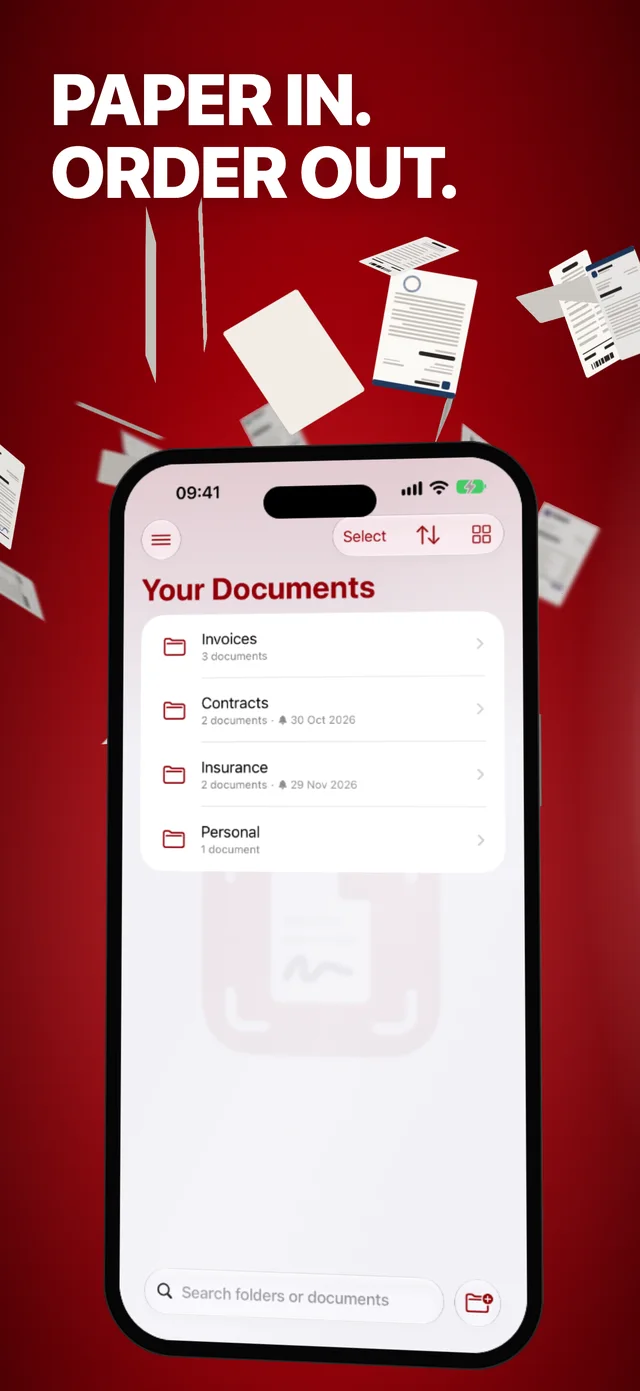
Folders and collections, sorted your way. Password folders with Face ID and an app lock for everything that is nobody else's business.
E-mail, AirDrop, messengers, optionally protected with a PDF password. There is AirPrint printing too, and your whole library as a ZIP archive.
Privacy
Contracts, statements, invoices: they don't belong in other people's clouds. SMART-PDF stores everything on your device, with no account, no forced sync and no sharing of your content. Name suggestions and the AI summary also run on your iPhone or iPad itself.
A closer look · Screenshots
Voices · App Store
“Finally an app that has all the important features, without forcing a subscription. And all data is stored locally on your own device.”
“I mainly use this app in everyday life, but also for work. It is super easy to use.”
“Easy to use and perfectly usable in the free version, too. I use it to quickly scan important documents for work or for my tax return.”
“Finally managing all my paperwork digitally. Great usability, I’d give it 6 stars if I could!”
“Really good, clear app. Finally no cost trap. Keep it up!”
Keeping it fair · Free & Premium
The free version has no fixed costs: collect coins and redeem them for individual actions. Premium makes everything unlimited and ad-free.
Free
With coins and ads, no monthly costs
Coins can be earned, or purchased if you prefer.
Premium
from €2.99/month
Subscription with 1, 3, 6 or 12 months
Price may vary by region; details in the app. Cancel anytime; renews automatically unless cancelled 24 h before the period ends.
Free on the App Store, for iPhone, iPad and Mac. Your first scan is filed within a minute.